

How to find slime chunks in Minecraft 26.3
Slime chunks are fixed by the world seed, so once you know where they are, they never move. Here is how to find them in Java Edition 26.3: with a seed map, with a mod, or with a shovel.
What is a slime chunk?#
The world is cut into chunks: columns 16 blocks wide and 16 blocks long that run from the bottom of the world to the top. In Java Edition about 1 in 10 chunks is a slime chunk. Which ones is decided by the world seed and the chunk's position, so the same seed always gives the same slime chunks, and they never change while you play.
To work out your chunk, divide your X and Z block coordinates by 16 and round down. Block X 100 is in chunk 6 (100 ÷ 16 = 6.25), and block X −5 is in chunk −1.
Slime chunks only matter in the Overworld. Bedrock Edition uses a different rule that ignores the seed, so everything here is for Java Edition.
When slimes spawn#
- In a slime chunk: below Y 40, at any light level. Torches do not stop them.
- In swamps and mangrove swamps: on the surface between Y 51 and Y 69, in light level 7 or darker, most on a full moon and none on a new moon. These do not need a slime chunk.
- Never in mushroom fields or the deep dark, and not on Peaceful.
- Room: the biggest slimes are about 2 blocks tall and wide, so they need 3 blocks of air above the floor.
- Distance: like other monsters, slimes spawn 24 to 128 blocks from a player and share the monster cap.
Even inside a slime chunk, the game lets only about 1 in 10 slime spawn attempts through, so slimes turn up more slowly than zombies or skeletons.
Find them with a seed map#
Get the seed with
/seed. In singleplayer it works even with cheats off; on a server only operators can run it.Open the web finder, paste the seed, and type in the X and Z from your F3 screen.
Hover over or tap a green square to read its block range, for example "Blocks X 96 to 111, Z −48 to −33".
In game, press F3 + G to show chunk borders and walk to that range.
On Spigot and Paper servers the owner can change the slime seed (seed-slime in spigot.yml). Then no seed map or mod can find the slime chunks from the world seed alone.
See them in the game with a mod#
Slime Chunk Finder & Highlighter is a Fabric mod for 26.3 and 1.21.1 that draws every slime chunk within your render distance as a see-through green column, from bedrock to the build limit. In singleplayer it reads the seed itself; on a server, run /slimechunk seed <value> once and it is remembered for that server. Press F7 to show or hide the columns.
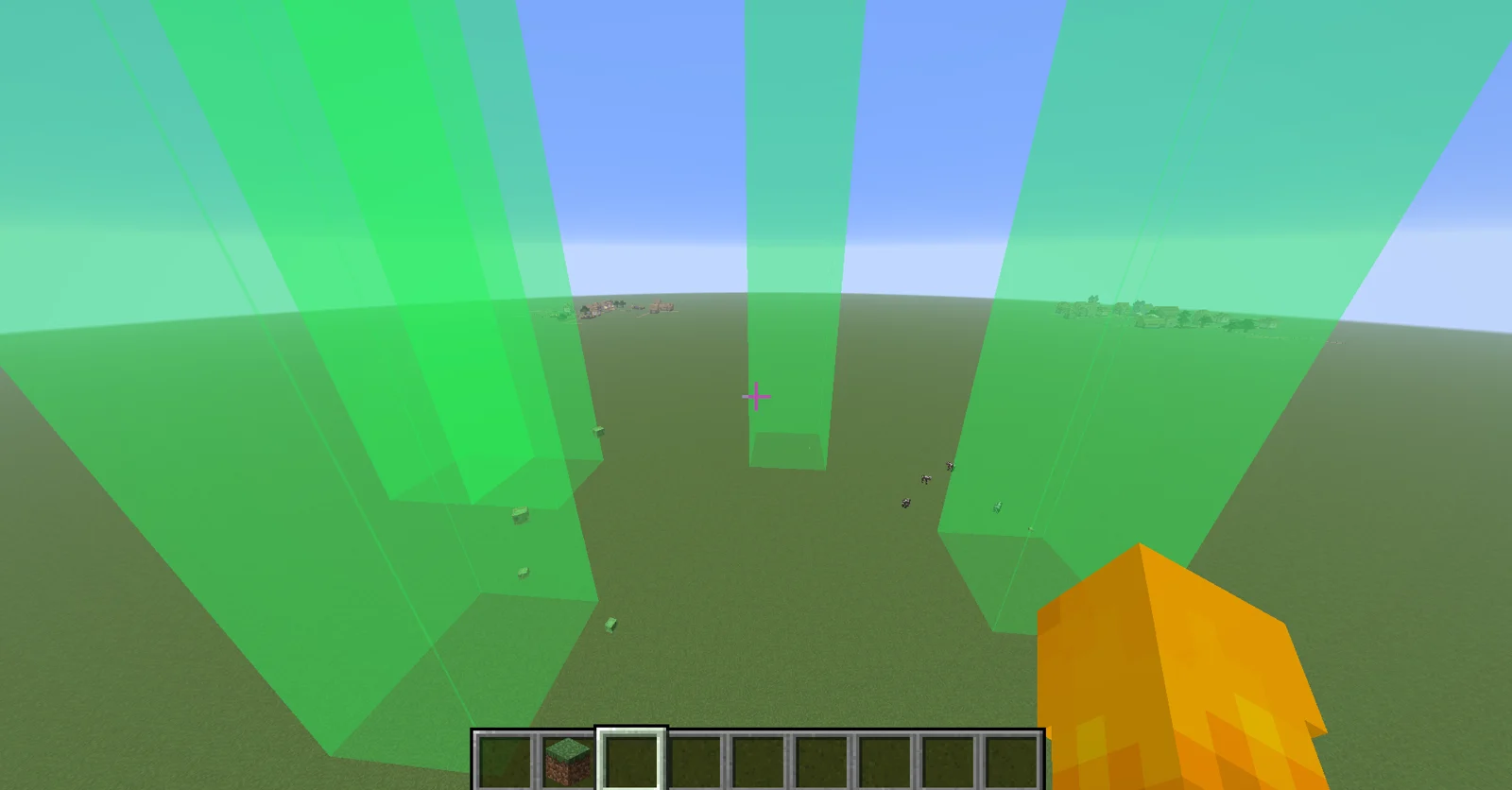
Other mods show slime chunks on a minimap, as an overlay or as a line on the F3 screen. The slime chunk mod comparison lists which ones support 26.3.
Find them without the seed#
On a server where nobody will tell you the seed, let the slimes show you:
- Go below Y 40, away from swamps, and dig out a large flat area a few blocks high, several chunks across.
- Light it up fully. Other monsters need darkness to spawn, but slimes in slime chunks do not, so anything that spawns there is a slime.
- Wait 24 to 32 blocks away. When slimes appear, press F3 + G: the chunk they spawned in is a slime chunk.
It is slow, but it needs no seed and no mods.
Superflat worlds#
On a default superflat world the grass is at Y −61, far below Y 40. Every slime chunk spawns slimes right on the surface, day and night, which is why superflat worlds fill up with slimes. To stop it, play on Peaceful, spawnproof the slime chunks, or use a custom preset with the surface above Y 40.
Spawnproofing a slime chunk#
Light does not keep slimes out of a slime chunk. Instead, cover every floor below Y 40 in the chunk with blocks nothing can spawn on: bottom slabs, glass, carpet, leaves, buttons or pressure plates. Use F3 + G or the mod's columns to see exactly where the chunk ends.
Slime farm basics#
- Pick a spot where two or more slime chunks touch, so one farm covers more of them. The finder makes these easy to spot.
- Dig the chunks out below Y 40 and build spawning floors, each with 3 blocks of air above it.
- Light up or spawnproof the caves around it (128 blocks in every direction), so the monster cap goes to slimes.
- Put your AFK spot 24 to 32 blocks from the floors: closer and nothing spawns, farther and slimes start to despawn at random.
- Push the slimes with water into a killing spot. Big slimes split into medium ones and medium into small ones, and only small slimes drop slimeballs (0 to 2 each).
Published 2026-11-01 · Minecraft Java Edition 26.3